
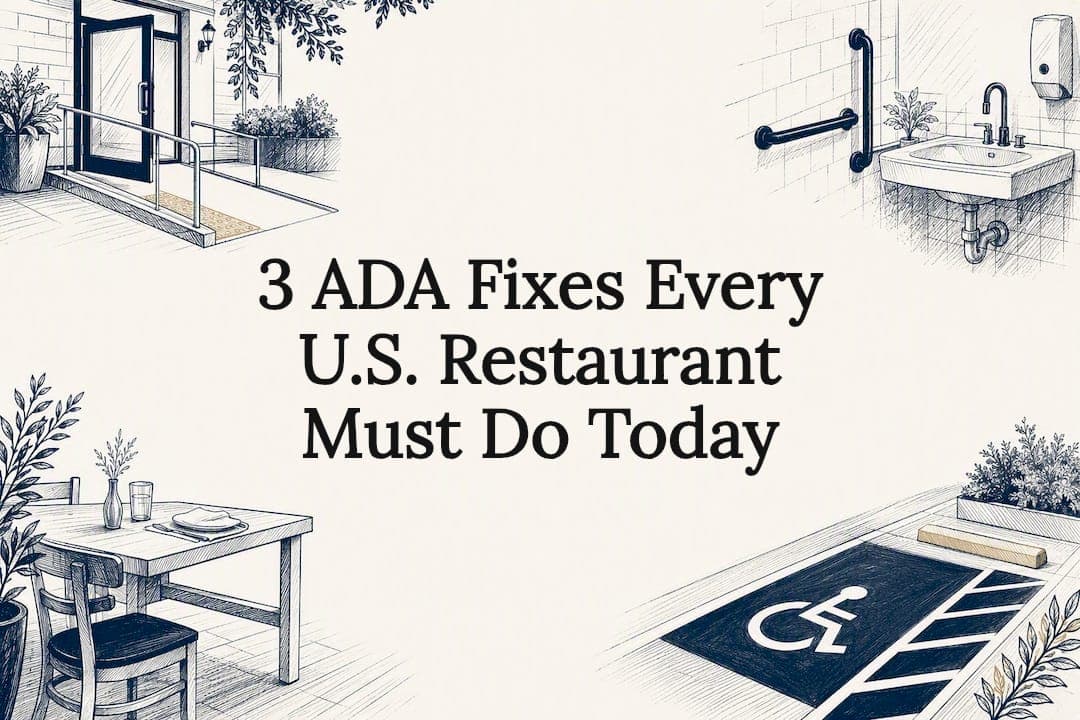
Yes: under Title III of the ADA, every U.S. restaurant is a covered public accommodation, with no exemption for size, age, or ownership structure. That means accessible entry and routes, accessible seating, restrooms, parking, and service counters, plus accessible digital menus and ordering systems. Skip any of it and you're exposed to demand letters, lawsuits, or DOJ action, so document every fix as you make it.
TL;DR:
- Most ADA compliance issues stem from small, easily fixable barriers such as inaccessible menus, navigation, or seating, rather than entire building overhauls.
- Digital accessibility failures like scanned PDFs, missing alt text, or unlabeled forms are common, but quick fixes like converting menus to HTML and adding alt text can resolve most penalties.
- Physical accessibility numbers, including door widths, ramps, and restroom space, are strict minimums that vary by location and building age, requiring careful measurement and documentation.
- Ongoing digital and physical audits, documented with photos and reports, are essential for maintaining compliance and defending against demand letters or lawsuits.
- Restaurants are targeted for web ADA claims because digital violations are easier to detect and fix than structural building issues.
Table of Contents
- What Does ADA Compliance for a Restaurant Actually Require?
- Physical Accessibility: Entrances, Seating, Restrooms, and Parking
- Is Your Website Actually ADA Compliant?
- Which ADA Standards Apply to Your Building?
- How to Document Remediation and Claim Tax Relief
- Why Restaurants Keep Getting Sued Over Accessibility
- How Wits' End Solutions Helps Restaurants Stay Compliant
- Where to Verify the Rules Yourself
- The Checklist Beats the Legal Brief
- Sources
What Does ADA Compliance for a Restaurant Actually Require?
Restaurant owners rarely get sued over the whole building. They get sued over the one door that's too heavy, the one table that doesn't fit a wheelchair, or the PDF menu a screen reader can't parse. [Title III of the ADA] treats restaurants as places of public accommodation, which puts the burden on you, not the customer, to remove barriers.(https://www.ada.gov/law-and-regs/regulations/title-iii-regulations/) treats restaurants as places of public accommodation, which puts the burden on you, not the customer, to remove barriers.
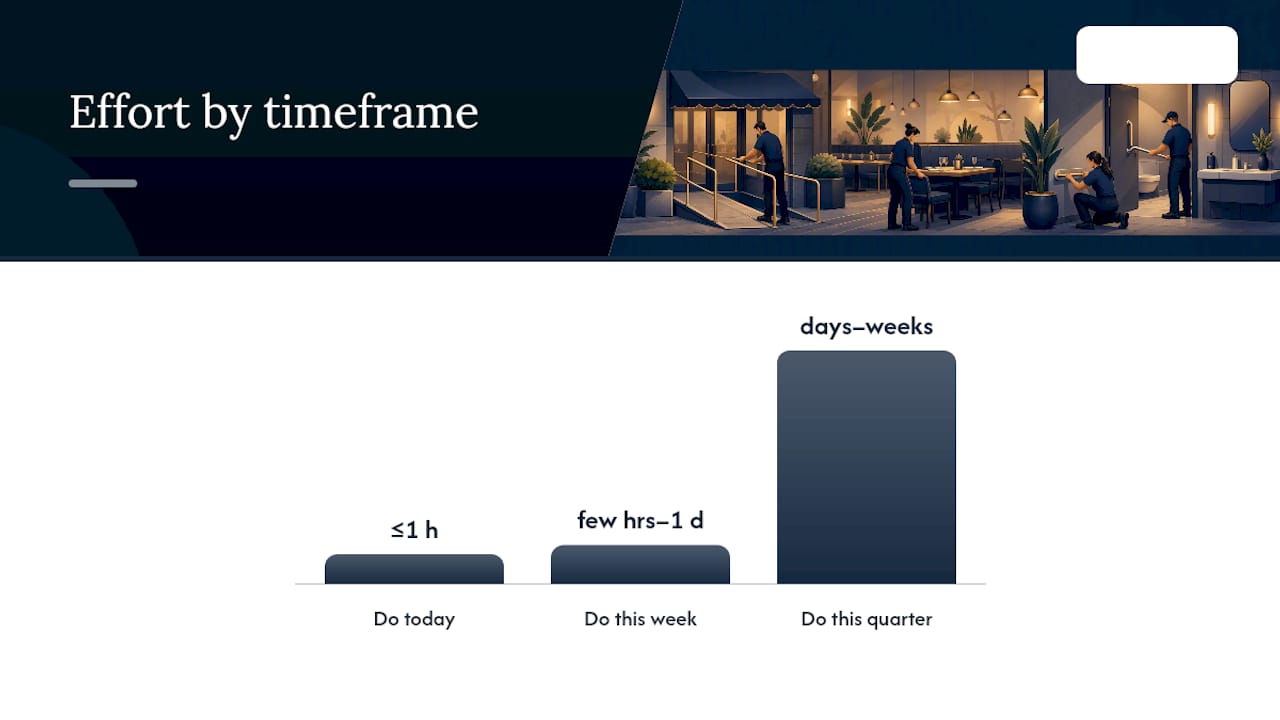
Here's what to tackle right now, this week, and this quarter.
Do today (minutes to an hour):
- Convert any PDF-only menu to accessible HTML text or add a fully tagged, screen-reader-friendly PDF.
- Add descriptive alt text to menu photos and hero images on your website.
- Confirm at least one accessible table and one clear path to it from the entrance.
Do this week (a few hours to a day):
- Test your online ordering flow with a keyboard only. If you can't complete an order without a mouse, neither can many disabled guests.
- Check your host stand or bar counter for a lowered section, or set a documented policy for alternate service.
- Photograph every fix with a timestamp and drop it into one shared folder labeled by date and location.
Do this quarter (days to weeks):
- Commission a walk-through audit of restrooms, parking, and the full accessible route.
- Review contrast and form labels sitewide.
Pro Tip: Timestamped photos beat memory every time. A shared, dated folder of "before and after" images is the single cheapest insurance policy against a demand letter.
Physical Accessibility: Entrances, Seating, Restrooms, and Parking
Physical compliance comes down to measurable numbers, not intentions. Entrances need at least one accessible route with a clear width sufficient for wheelchair passage, and doors that open with minimal force. Ramps must have a gentle slope, and those with significant rise require handrails on both sides.
Inside, watch for rolled-up rugs, stacked highchairs, or a server station that narrows the aisle below 36 inches. These informal obstructions cause more violations than the original construction ever did.
Seating has its own rule: a portion of your fixed tables must be wheelchair accessible, with tabletops at standard accessible heights and adequate knee clearance. If your bar or host counter sits at standard height, you need a lowered section, typically 36 inches or less, or a documented equivalent-service plan.
Restrooms need 60 inches of turning space, grab bars at the toilet, an accessible sink with knee clearance underneath, and signage with raised characters and Braille. Parking requires accessible spaces scaled to lot size, including van-accessible spots with appropriate access aisles and clear signage.
None of these numbers are negotiable defaults. California's CBC 11B, for example, caps counter height at 34 inches instead of the federal 36, which trips up plenty of multi-state operators who assume federal minimums cover them everywhere.
Is Your Website Actually ADA Compliant?
Courts and enforcement agencies increasingly treat your website and ordering system the same way they treat your dining room: as a place of public accommodation. The practical benchmark is WCAG 2.1 Level AA, the technical standard most courts point to when a site gets challenged.
Restaurant sites fail in predictable ways: scanned PDF menus with no text layer, missing alt text on photos, low-contrast text over background images, unlabeled form fields on reservation or order pages, and keyboard traps in ordering widgets. Restaurant websites are disproportionately targeted in ADA web demand letters, largely because these failures are easy for automated scanners to flag.
Fix them in this order:
- Replace scanned PDF menus with accessible HTML text.
- Add alt text to every meaningful image.
- Check contrast ratios on text over photos or colored backgrounds.
- Label every form field in your reservation and ordering flows.
- Tab through your entire checkout process without a mouse.
- Audit third-party widgets (reservations, delivery, loyalty) since vendor code often introduces the worst failures.
The good news: most of these are quick wins. Converting menus and adding alt text alone eliminates the majority of the issues that trigger demand letters.
Pro Tip: Run your homepage and menu page through a free automated scanner first. It won't catch everything, but it'll surface the low-hanging fruit in under ten minutes.
Which ADA Standards Apply to Your Building?
The rules depend on when your space was built or last altered. Anything constructed or altered after January 26, 1993, generally must meet the 2010 Standards outright. Older, unaltered buildings only have to remove barriers that are "readily achievable," meaning easily accomplished without much difficulty or expense.
A few scope details trip owners up:
- Renovating one area can trigger a broader obligation known as the "path of travel" rule, which can require upgrades to the route leading to that area, capped at roughly 20% of the total alteration cost.
- "Readily achievable" is judged against your resources, not a fixed dollar figure, so a single-location diner and a ten-unit group face different bars.
- Local and state codes can be stricter than federal minimums. Always check your authority having jurisdiction (AHJ) and local building code, since a state like California layers CBC 11B requirements on top of federal ADA rules.
How to Document Remediation and Claim Tax Relief
Treat remediation like any other capital project: audit, prioritize, estimate, implement, verify. Bring in a contractor or accessibility specialist for the physical audit and a developer for the digital one, and expect smaller fixes to close in weeks while structural work (ramps, restroom reconfigurations) can run months.
Keep these records indefinitely, not just until the work is done:
- Full audit reports and photos, dated
- Cost estimates and paid invoices
- Written "readily achievable" determinations explaining what you did and didn't fix, and why
A documented determination with a clear remediation schedule meaningfully reduces settlement pressure if a claim does come in.
There's financial relief too. Small businesses can claim the Disabled Access Credit (IRS Form 8826) for eligible barrier-removal and accessibility costs, and Section 190 allows a separate deduction for removal expenses. Talk to a tax professional before you file. Eligibility and interaction between the two benefits vary by business size and expense type.
Why Restaurants Keep Getting Sued Over Accessibility
Restaurants make attractive targets: high website traffic, PDF-heavy menus, and image-dense ordering pages that combine with a lack of in-house legal or developer staff to catch problems early. Claims typically seek an injunction and required fixes, though state statutes in places like California can add statutory damages on top.
If a demand letter or suit arrives:
- Preserve every record you have, including old menus and site backups.
- Run a prioritized audit immediately, physical and digital.
- Contact counsel before responding.
- Propose a concrete remediation schedule rather than a denial.
How Wits' End Solutions Helps Restaurants Stay Compliant
A one-time audit fixes today's problems. A recurring process keeps you compliant as menus change and staff turn over. Build ADA checks into your daily and weekly operations checklist, covering accessible routes, service counter policy, and a quick tab-through of your ordering flow.
Train staff on:
- Communicating with guests who have visual, hearing, or mobility disabilities
- Reading menus aloud accurately and describing dishes for guests who ask
- Handling service animal questions correctly and lawfully
- Flagging broken web-ordering features to management immediately
Pro Tip: Assign one manager per shift as the "accessibility check" owner. Rotating that responsibility across a whole team means nobody actually owns it.
For a single-location audit, a multi-site rollout, or urgent remediation after a complaint, Wits' End Solutions can step in with hands-on operational support, including task-force-style engagements for time-sensitive fixes.
Where to Verify the Rules Yourself
Start with ADA Title III regulations for the legal baseline, then check your state and local building code (AHJ) for stricter dimensional rules before finalizing any remodel.
The Checklist Beats the Legal Brief
Most compliance advice buries owners in statute language when what they actually need is a punch list. The research here backs that up: the fastest risk reduction comes from converting PDF menus, fixing alt text, and confirming one accessible table and route, not from memorizing the 2010 Standards line by line.
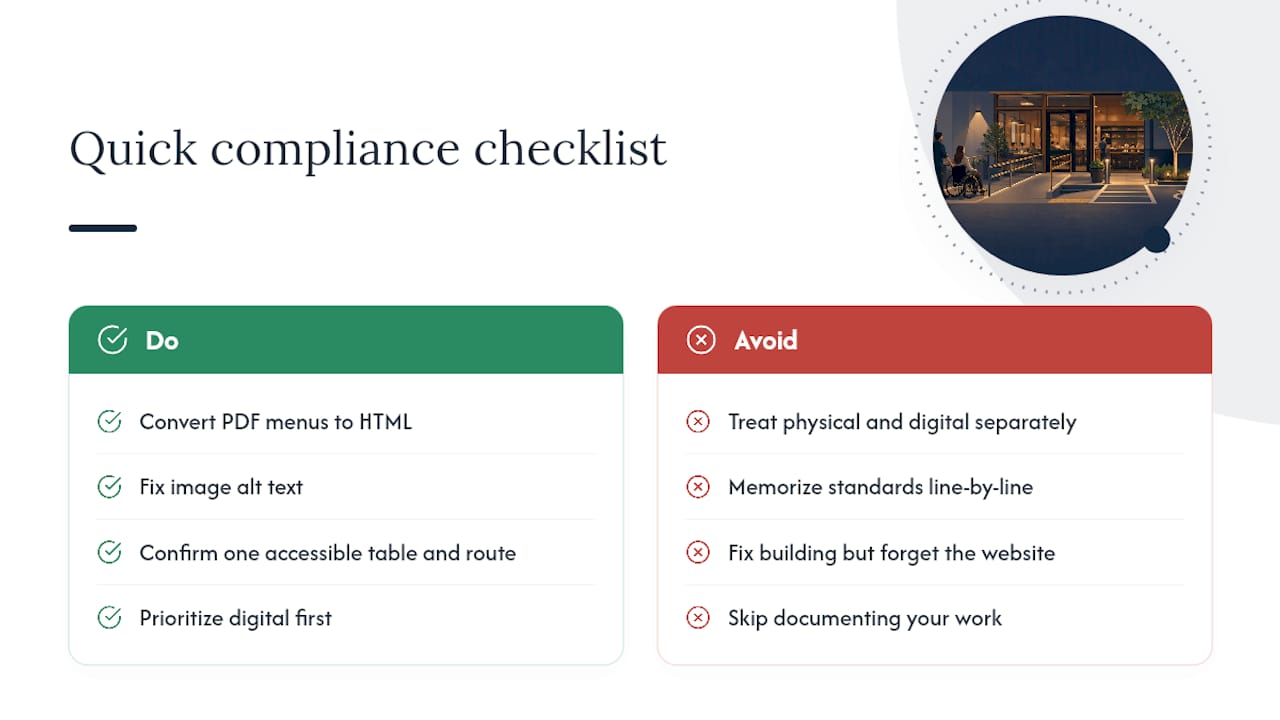
Where conventional advice falls short is treating physical and digital compliance as separate projects. They're not. A restaurant with a flawless dining room and a broken ordering page is just as exposed as one with no ramp. Enforcement data backs this: restaurants are overrepresented in web-accessibility claims precisely because operators fix the building and forget the website.
Prioritize digital first if you have to choose. It's cheaper, faster, and it's where the serial-plaintiff activity concentrates. Then document every step. A dated photo folder and a written "readily achievable" rationale won't prevent every claim, but they change the conversation from "were you negligent" to "you were already fixing it."
— Chris