
Fix your restaurant operations workflow this week with three moves: assign named owners to every open and close checklist, replace one paper form with a digital checklist that timestamps completion, and identify the single station causing the most ticket delays. Those three actions alone will surface your weakest pillar faster than any consultant walkthrough. Measure progress by tracking average ticket time, food cost percentage on your top three dishes by volume, and shift checklist completion rate. Reducing average ticket time significantly within 30 days is a realistic target when you fix one bottleneck completely before addressing others.
Quick wins to implement this week:
- Assign one manager as the named owner of opening and closing checklists for every shift
- Replace your paper closing checklist with a digital version that captures timestamps and staff names
- Time five consecutive tickets at your slowest station and identify the single step causing the delay
Success metrics to watch first:
- Average ticket time (target: reduce by 10–15% within 30 days)
- Food cost percentage on your top three dishes by cover count
- Shift checklist completion rate should aim for full completion with timestamps for accountability.
Table of Contents
- What does a restaurant operations workflow actually cover?
- How to audit your current workflow before you change anything
- How to write SOPs and build an operations manual the team will actually use
- Line and kitchen workflow fixes that cut ticket times and reduce waste
- Front-of-house workflow: seating, service standards, and peak-hour coordination
- Inventory, procurement, and food-cost controls that prevent stockouts
- Scheduling, labor targets, and a 30/60/90 training plan for consistent shifts
- What technology actually helps your workflow, and how to choose it
- Which KPIs should you track, and how often?
- How to roll out workflow changes: a 90-day pilot plan
- When does bringing in an outside operations team actually make sense?
- What the most important actions and metrics actually are
- The part most operators skip, and why it costs them the most
- Wits' End Solutions works alongside your team, not just above it
- Sources
What does a restaurant operations workflow actually cover?
A restaurant operations workflow is the full sequence of coordinated processes that move a guest from reservation to receipt, and a kitchen from raw ingredient to plated dish. The industry term for managing this end-to-end is operations management, and it covers six interconnected components: front of house (FOH), order management and POS, the kitchen line, back of house (BOH), inventory and procurement, staffing and scheduling, and reporting.
Each component has inputs and outputs that feed the next. FOH captures covers and sends orders to the POS. The POS fires tickets to the kitchen display system (KDS). The line executes and signals the expediter when dishes are ready. The expediter coordinates runners to deliver to the correct table. BOH closes the loop by reconciling inventory consumed against what was prepped and ordered. Reporting then converts all of that activity into numbers a manager can act on.
The most common failure point is the handoff between FOH and the kitchen. When a server modifies an order verbally instead of through the POS, or when a KDS goes unacknowledged during a rush, the ticket clock keeps running while the kitchen works blind. Every minute of that gap compounds across a full service.
The second most common failure is data loss at the BOH close. When closing counts are skipped or estimated, par levels drift, ordering becomes reactive, and food cost variance becomes invisible until the P&L arrives weeks later.
Pro Tip: Map your current workflow on a single sheet of paper before you change anything. Draw each component as a box, draw arrows for every handoff, and mark the ones where information is verbal rather than system-recorded. Those verbal handoffs are your highest-risk points.
How to audit your current workflow before you change anything
Observe service honestly for at least 48–72 hours before drawing conclusions. The goal is to find the weakest pillar, not to confirm what you already suspect. Bring a notepad and time things directly: ticket times from order fire to table delivery, table turn times from seat to reset, and the number of verbal re-fires or order corrections per service.
What to observe and record during your audit window:
- Ticket time from POS fire to expediter call (time at least 20 tickets per service)
- Number of verbal modifications or re-fires per shift
- Prep shortages that force mid-service substitutions
- Communication failures between FOH and kitchen (missed allergy flags, wrong table numbers)
- Checklist completion: are opening and closing tasks actually done, or just signed off?
A 2–7 day observation window gives you enough data to separate a bad night from a systemic pattern. Two days is sufficient for a single-unit operator running consistent volume; seven days is appropriate if your covers vary significantly by day of week.
Use the table below as your baseline data capture template. Fill it in for each service during the audit period, then average the results.
| Metric | How to measure | Target baseline |
|---|---|---|
| Average ticket time | Stopwatch from POS fire to expediter call | Establish current average first |
| Table turn time | Time from guest seated to table reset | Establish current average first |
| Food cost % by dish | (Ingredient cost ÷ menu price) × 100 | Compare against your menu engineering targets |
| Checklist completion rate | Tasks completed with timestamp ÷ total tasks | Target full completion with named owner |
| Re-fires per service | Count verbal corrections and re-made dishes | Target fewer than 2 per service |
Daily execution failures almost always trace back to inconsistent routines, not to individual staff performance. When your audit data shows the same failure appearing across multiple shifts, you have a process problem, not a people problem.
How to write SOPs and build an operations manual the team will actually use
An operations manual should centralize your concept, organizational structure, job responsibilities, SOPs, training procedures, safety guidelines, and financial procedures in one place staff can access from their phone during a shift. A binder in the manager's office is not an operations manual. It is a binder.
Every SOP in the manual follows the same structure:
- Purpose: one sentence on why this task matters
- Scope: which roles perform it and when
- Step-by-step actions: numbered, written at the level of a new hire on day one
- Owner: the named role responsible for completion
- Frequency: shift, daily, weekly, or event-triggered
- Acceptance criteria: what "done correctly" looks like, so a manager can verify it remotely
Format matters as much as content. Digital checklists with timestamps and named owners increase accountability versus paper, and they give managers a completion record they can review without being on the floor. Tools like 7shifts, Toast, or a simple Google Form with a Sheets backend can handle this at low cost.
Rollout sequence for new SOPs:
- Write the SOP with input from the staff who actually do the task
- Test it during one shift with one team member before publishing
- Train the full team in a 15-minute pre-shift meeting, not a memo
- Set a 30-day review date to collect feedback and correct errors
- Assign a manager to audit completion weekly for the first 60 days
Pro Tip: Start with your closing checklist. Closing checklists are high-leverage because they reduce waste, protect food safety, and surface systemic issues the opening team inherits the next morning. If your team has no checklists at all, this is the one to build first.
For ready-to-use templates, the restaurant operations checklist for managers on the Wits' End Solutions blog gives you a working starting point.
Line and kitchen workflow fixes that cut ticket times and reduce waste
Station layout is the first thing to examine. Motion that does not produce food is waste. If your grill cook takes four steps to reach their mise en place, that is four steps per ticket multiplied by every ticket in a service. Reorganize each station so the cook's most-used ingredients and tools are within arm's reach, and their output lands directly in the expediter's window without crossing another station's path.
Station and expediter fixes with the highest payoff:
- Position mise en place at the front of each station, not behind the cook
- Assign one expediter per service who owns the ticket rail and calls every dish
- Use a KDS acknowledgment rule: every ticket must be acknowledged within 60 seconds of firing
- Eliminate verbal ticket calls between stations; all communication goes through the expediter
- Run a pre-service line check 30 minutes before open to confirm every station is fully prepped
A prep system tied to actual sales data removes the guesswork that causes mid-service stockouts. Par levels, prep lists, and a clear handoff between shifts keep the line ready without over-prepping, which drives waste. Pull your POS sales mix by day of week and build prep quantities from that data, not from memory or habit.
Menu complexity is an underrated driver of ticket time variance. A menu with 40 items that share few components forces the line to execute more unique processes per ticket than a 28-item menu built around a tight ingredient matrix. If your ticket times are inconsistent rather than uniformly slow, look at which dishes appear most often in re-fires and whether simplifying their execution or removing them reduces variance.
Pro Tip: *Run a food and lodging workflow review on your top five dishes by volume. Time each one from ticket fire to plate.
Front-of-house workflow: seating, service standards, and peak-hour coordination
The 7 steps of service are a framework, not a script. Rewritten as measurable actions, they give your FOH team clear timing targets rather than vague hospitality principles.
The 7 steps as measurable actions:
- Greet within 60 seconds of the guest being seated, by name if a reservation exists
- Present menus and offer a beverage within 90 seconds of greeting
- Take the beverage order and return with drinks within 4 minutes
- Take the food order and repeat it back to confirm accuracy before walking away
- Deliver food within the ticket time target; announce each dish and confirm the table is complete before leaving
- Check back within 2 minutes of food delivery to address any issues before they become complaints
- Present the check within 60 seconds of the guest signaling readiness, and process payment within 3 minutes
Host seating rules directly protect the kitchen line. Seating a full section simultaneously creates a ticket surge that overwhelms even a well-prepped line. A practical rule: seat no more than two tables in the same section within a 10-minute window during peak service. Stagger covers across sections to distribute ticket load evenly.
Communication between FOH and kitchen during peaks should run through one channel only. The expediter is the kitchen's voice to the floor; the floor manager is FOH's voice to the kitchen. Direct server-to-cook communication during service creates noise and bypasses the ticket system.
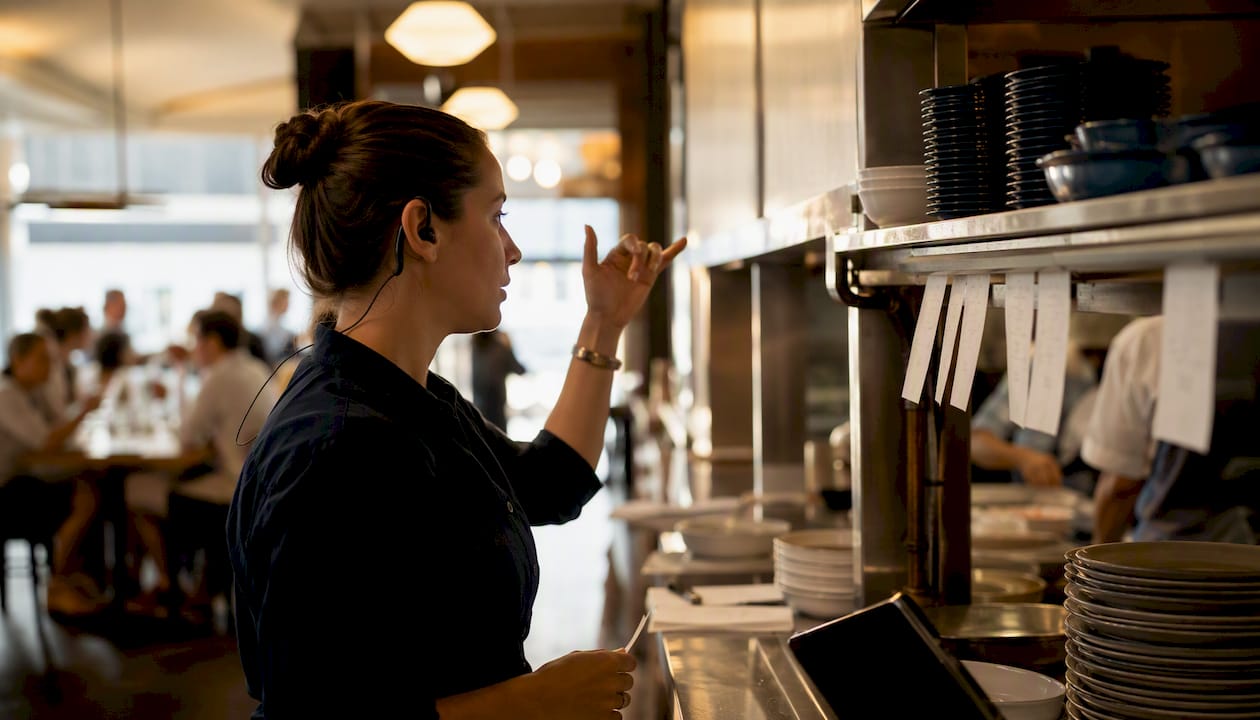
Pro Tip: Train your host to read the kitchen's pace, not just the dining room's capacity. Give your host a simple signal from the expediter (a hand signal or a brief radio call) that means "hold the next table for five minutes." That five-minute buffer can prevent a 20-minute ticket delay.
For deeper guidance on customer service standards in hospitality and how they connect to guest loyalty, the partner resource from Wild Foodz covers the service-quality relationship in practical terms.
Inventory, procurement, and food-cost controls that prevent stockouts
Par levels are the foundation of a functional inventory system. A par level is the minimum quantity of an ingredient you need on hand at the start of each shift to cover projected volume without running short. Set par levels using your POS sales data by day of week, not by intuition. A Tuesday par for chicken thighs should reflect Tuesday's average cover count and the dishes that use them, not a round number someone estimated two years ago.
Par level and receiving checklist essentials:
- Pull 4-week rolling sales data by day of week to calculate usage per cover
- Set par at 1.2× average daily usage to build in a buffer without over-ordering
- Count inventory at the same time every day (end of service works well) so counts are comparable
- On receiving, check every delivery against the purchase order before signing the invoice
- Reject any item that does not match the spec (weight, temperature, grade) and document the rejection
Dish-level food cost calculation:
Calculate food cost percentage for your top 10 dishes by volume every week. When a dish drifts more than 2 percentage points above its target, the cause is almost always one of three things: a portion size creeping up, a supplier price increase that was not passed through to the menu, or prep waste from over-production. Each has a different fix, and you cannot identify which one without the dish-level data.
Tie your ordering cadence to your par counts and your delivery schedule. Ordering twice a week with a reliable supplier is almost always more cost-effective than daily ordering, because it reduces the administrative load and gives you leverage on minimum order quantities.
Scheduling, labor targets, and a 30/60/90 training plan for consistent shifts
Labor cost as a percentage of revenue is the metric that connects your scheduling decisions to your P&L. A basic labor target formula: divide your projected labor cost for the shift by your projected revenue for that shift.
30/60/90 training outline for new hires:
- Days 1–30: Shadow every station and role; complete all compliance training (food safety, allergen handling, POS operation); pass a written menu knowledge check by day 21
- Days 31–60: Work assigned station or section independently with a senior team member available; complete one cross-training shift in a secondary role; receive first formal performance check-in
- Days 61–90: Operate independently; complete cross-training in a second role; participate in one SOP review session; receive a 90-day evaluation with documented feedback
Cross-training reduces your coverage risk on short-notice call-outs. A server who can run food and a line cook who can work a second station give you flexibility without adding headcount. Consistent onboarding and documented training are two of the six pillars that separate tight operations from reactive ones.
Shift handover checklist (end of shift, named owner required):
- Prep status by station: what is ready, what is short, what needs to be made for the next shift
- Open maintenance or equipment issues
- Guest complaints or incidents from the shift
- Checklist completion confirmation with timestamp
- Any staffing issues (no-shows, early outs, performance notes)
Pro Tip: Build your staff onboarding program around role-specific SOPs from day one. A new hire who learns the SOP as the standard, rather than learning a veteran's workaround first, is far easier to hold to the standard later.
Daily execution failures trace back to inconsistent routines, which is why the shift handover is as important as the opening checklist. A shift that ends without a documented handover leaves the next manager starting blind.

What technology actually helps your workflow, and how to choose it
Technology should reduce friction in your existing workflow, not create a parallel system your team ignores. The selection criteria that matter most are adoption (will your team actually use it during a busy service?), data access (can you pull the reports you need without a developer?), permitted actions (does it let managers override or correct without calling support?), and vendor openness to integrations with your POS and inventory systems.
Selection criteria checklist:
- Does it integrate natively with your current POS, or does it require a middleware layer?
- Can a manager configure it without vendor involvement?
- Does it produce a daily report in a format your team will read?
- Is the mobile interface usable in a kitchen environment (gloves, noise, speed)?
- What is the vendor's support response time during service hours?
Before automating any process, map it completely: identify the trigger, the stable steps, the approved data sources, the deterministic rules, the named human owner, and the exception path. A process that fails this test is not ready to automate. Automating a broken or inconsistent process produces faster errors, not faster results.
Integration checklist for a new tech deployment:
- Document the current manual process in full before touching any software
- Identify which data fields need to pass between systems (item, quantity, time, owner)
- Assign one internal owner for the integration who is accountable for its accuracy
- Define the exception queue: what happens when the system fails or produces an unexpected result?
- Set a 30-day review date to assess whether the integration is reducing or adding work
Automation is appropriate for read-only alerts (low par notifications, ticket time thresholds), drafted communications (end-of-day prep summaries sent to the opening manager), and exception routing (flagging a dish with a food cost spike for manager review). It is not appropriate for decisions that require judgment, guest interaction, or real-time line management.
The impact of online ordering on kitchen workflow is worth understanding before integrating a third-party ordering platform, since off-premise orders fire into the same ticket queue as dine-in and can create unmanaged surges without a dedicated throttle or tablet management protocol.
Which KPIs should you track, and how often?
Operational KPIs fall into three reporting cadences: shift-level metrics that managers review before the next service, daily metrics that the operator reviews each morning, and weekly and monthly metrics that inform scheduling, menu, and procurement decisions.
| KPI | Cadence | Who reviews it | Action threshold |
|---|---|---|---|
| Average ticket time | Shift | Floor manager | More than 15% above target triggers a line review |
| Table turn time | Shift | Floor manager | More than 10% above target triggers a seating review |
| Checklist completion rate | Daily | General manager | Any incomplete shift triggers a follow-up with the shift lead |
| Food cost % by dish | Weekly | Owner / GM | More than 2 percentage points above target triggers a portion or cost audit |
| Labor % of revenue | Weekly | Owner / GM | Above 35% for full-service triggers a scheduling review |
| Par variance (actual vs. target) | Daily | Purchasing manager | Variance above 10% triggers an inventory count and order review |
A weekly operations dashboard does not need to be complex. A single shared document or spreadsheet with these six metrics, updated by the closing manager each night, gives you a complete picture in under five minutes. The deep analytics and reporting services at Wits' End Solutions can automate this dashboard and add predictive par and labor modeling for operators who want to move beyond manual tracking.
For a practical daily operations framework, the guide to running efficient restaurant daily operations on the Wits' End Solutions blog covers manager walkthrough templates and shift-level reporting in detail.
How to roll out workflow changes: a 90-day pilot plan
A 90-day phased plan structured as audit → centralize → embed is the most reliable rollout cadence for restaurant operations changes. Attempting to fix everything at once produces partial adoption across all areas and measurable improvement in none.
Pilot plan template:
- Scope: choose one pillar (kitchen line, FOH seating, closing checklist, inventory par levels)
- Success criteria: define the specific metric that will confirm the fix worked (e.g., average ticket time below X minutes for 10 consecutive services)
- Duration: 30 days minimum before evaluating
- Owner: one named manager is accountable for the pilot's execution and data collection
- Review gate: at day 30, the owner presents results; the team decides to scale, adjust, or replace
90-day rollout timeline:
| Phase | Days | Focus | Expected outcome |
|---|---|---|---|
| Audit | 1–14 | Observe service, capture baseline metrics, identify weakest pillar | Ranked list of problems with supporting data |
| Pilot | 15–44 | Fix one pillar, deploy one SOP or checklist, train the team | Measurable improvement in the target metric |
| Iterate | 45–60 | Review pilot results, adjust the SOP, address adoption gaps | Refined process with documented owner and completion rate |
| Scale | 61–90 | Apply the same method to the next pillar; begin building the full operations manual | Two pillars improved, manual in draft, team trained on digital checklists |
Cost bands for implementation:
Process-only changes (new SOPs, digital checklists, shift handover protocols) typically cost $500–$2,500 in management time and basic software subscriptions. Technology and integration changes (POS upgrade, KDS installation, inventory management software) range from $3,000 to $15,000 depending on the number of terminals, integration complexity, and whether you need vendor implementation support.
Pro Tip: For multi-site rollouts, pilot in your highest-volume location first. The volume stress-tests the process faster and surfaces edge cases your lower-volume sites would not encounter for months. The restaurant group shared services guide covers the additional coordination layer that multi-site standardization requires.
When does bringing in an outside operations team actually make sense?
Outside help accelerates results in four specific scenarios: a new opening where you need SOPs, training, and systems built before day one; a turnaround where declining covers or rising food cost require a fast, objective diagnosis; multi-site standardization where inconsistency between locations is eroding the brand; and a crisis (a key manager departure, a failed health inspection, a sudden volume spike) where your internal team does not have the bandwidth to fix operations while running service.
What to expect from a well-structured consulting engagement:
- A documented audit with ranked findings and a prioritized action list
- SOPs written for your specific concept, not generic templates
- A pilot rollout with a named owner and measurable success criteria
- A KPI dashboard configured for your reporting cadence
- Training delivered to your team, not just handed to a manager to cascade
Before engaging an outside team, prepare three things internally: your last 90 days of POS sales data, your current labor schedule and cost percentages, and a list of the three problems you believe are most urgent. That preparation cuts the discovery phase in half and lets the engagement move directly to solutions.
Pro Tip: A task force engagement is the right model when you need senior operators on property fast, not a report delivered in six weeks. For a crisis or an opening, speed of deployment matters more than the elegance of the deliverable.
Wits' End Solutions works with restaurant owners and operators across the United States on exactly these scenarios. The training programs are available as standalone engagements for teams that need structured onboarding or cross-training without a full consulting retainer.
What the most important actions and metrics actually are
A well-executed restaurant operations workflow comes down to one discipline: fix one pillar completely before moving to the next, and measure the result before claiming the fix worked.
| Point | Details |
|---|---|
| Audit before you act | Observe service for 48–72 hours and capture baseline ticket time, food cost, and checklist completion before changing anything. |
| Start with closing checklists | Digital closing checklists with timestamps are the highest-leverage first SOP because they reduce waste and surface issues the next shift inherits. |
| Fix one pillar at a time | Operators who fix one area completely see faster, compounding improvements than those who attempt a full overhaul simultaneously. |
| Track six KPIs weekly | Ticket time, table turn, food cost %, labor %, checklist completion, and par variance give a complete operational picture in one dashboard. |
| Wits' End Solutions | Wits' End Solutions provides audits, SOPs, pilot rollouts, and analytics dashboards for restaurant operators across the United States. |
The part most operators skip, and why it costs them the most
The conventional advice on restaurant operations is not wrong. It is just sequenced incorrectly. Most guides tell you to build an operations manual, train your staff, and track your KPIs. That is the right destination. The problem is that operators who start there, before auditing what is actually happening during service, build SOPs for the process they wish they had, not the one their team is actually running.
Automation fails for exactly the same reason. Teams map the ideal workflow and automate it, then discover that the real behavior during a Friday dinner rush looks nothing like the diagram. The fix is always the same: observe first, document what you actually see, and build the SOP from that reality. Then train to the improved standard.
The second thing most operators underestimate is the compounding effect of fixing one thing completely. It increases table turns per service, which increases revenue per square foot, which changes the labor-to-revenue ratio without adding a single staff member. One fixed pillar produces results across three or four KPIs simultaneously. That is why the single-pillar-first approach is not a conservative choice. It is the fastest path to measurable improvement across the whole operation.
The operators who struggle longest are the ones who treat every problem as equally urgent and spread their attention across all of them. Pick the metric that is furthest from target, find the process that drives it, fix that process, and measure the result. Then move to the next one.
Wits' End Solutions works alongside your team, not just above it
Most restaurant operators reach a point where the problems are clear but the bandwidth to fix them is not. You know ticket times are too long. You know the closing checklist is not being completed. You know food cost is drifting. What you need is not another article. You need a team that has run these operations before and can move fast.
Wits' End Solutions partners with restaurant owners and operators across the United States to audit operations, write SOPs built for your specific concept, run pilot rollouts with measurable success criteria, and build KPI dashboards your managers will actually use. The engagement model is flexible: advisory, embedded, or full operating partner, depending on what your business needs right now.
If you are preparing for an opening, managing a turnaround, or standardizing across multiple locations, start a conversation with the Wits' End Solutions team to discuss what a structured engagement looks like for your operation.
Sources
The sources below support the methods, templates, and frameworks used throughout this guide.
- The complete guide to restaurant operations management | AltaMetrics
- How to identify restaurant operations workflows ready for automation – KeepSolid Automations
- How to run a restaurant without it running you | Crewli
- Restaurant operations manual guidance